What are the best quiet fidgets for video calls and working from home?
For calls and shared home spaces, the best fidgets are silent, low-motion, and easy to use off-camera, below the line of the desk. Two things get a fidget in trouble on a call: a sound your microphone picks up, and a movement distracting enough to pull your eyes, or a coworker’s, off the conversation. Avoid both and almost any moment becomes call-safe.
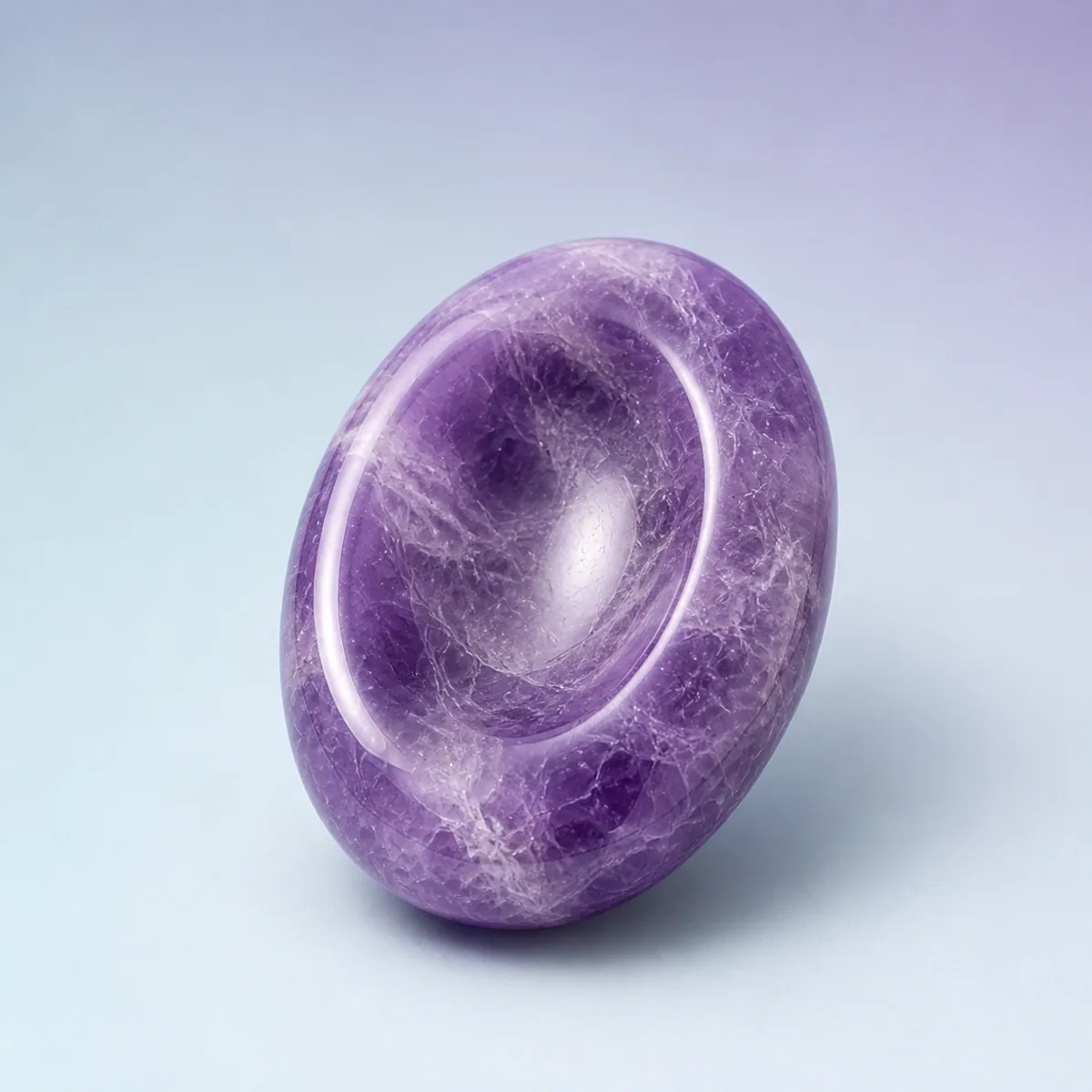
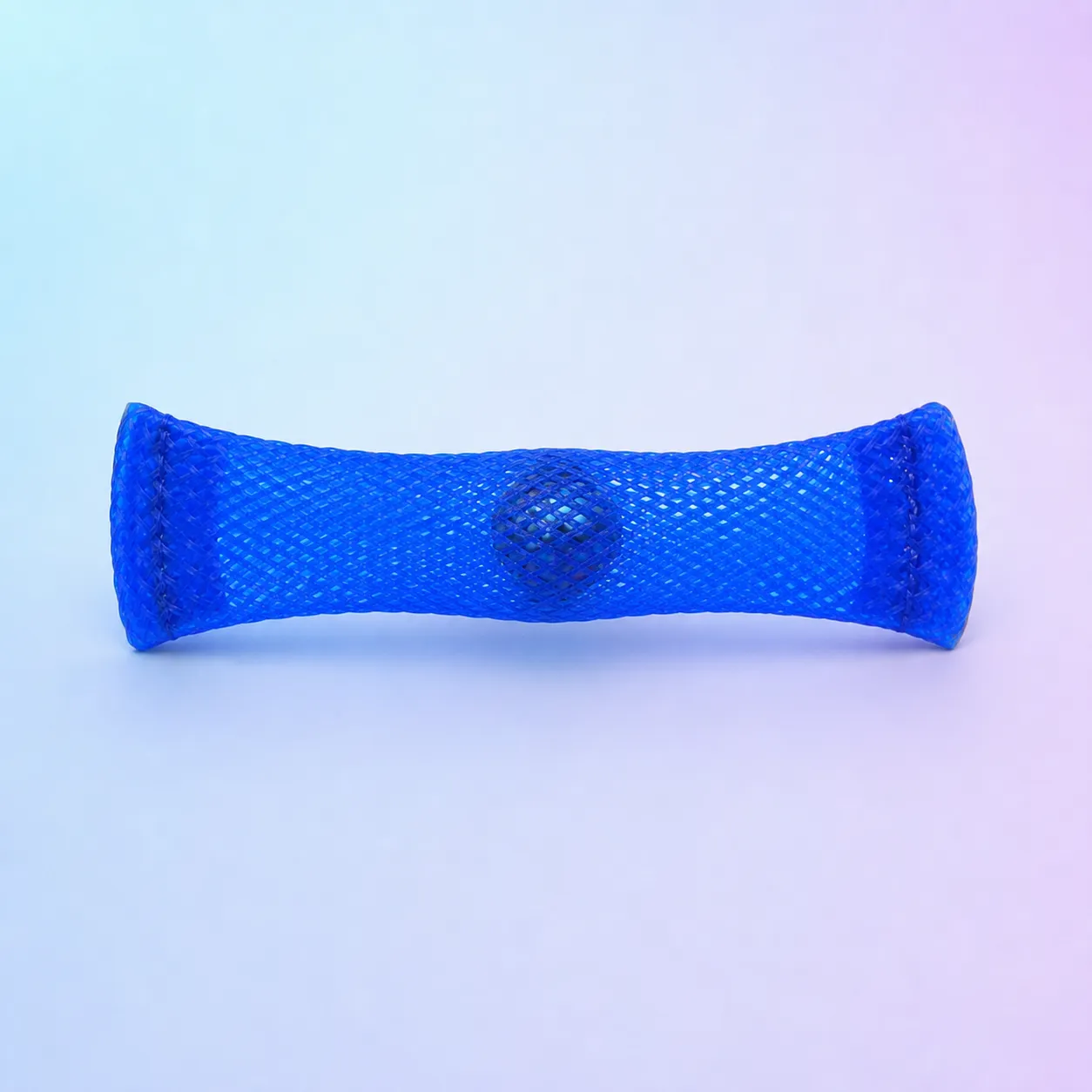
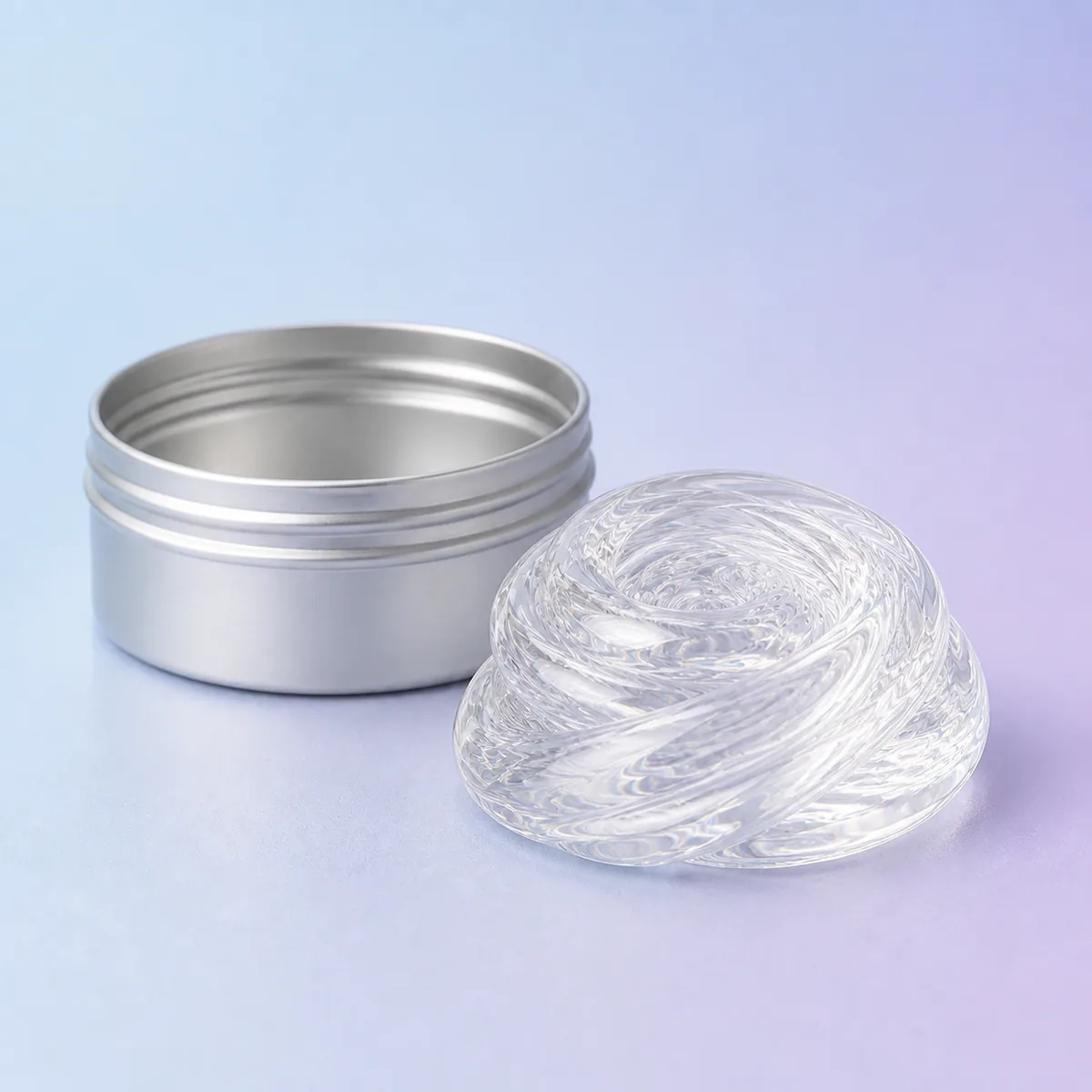
The reliable, genuinely silent picks from our shelf are the Calm Worry Stone, the Roll & Squeeze Mesh Marble Fidget, the Jelly Blob Transparent Gel Fidget, and Calm Putty. The Quiet Spinner Sensory Ring Set (3-Pack) is very quiet too, with only a faint tick when the metal beads touch. We will also be honest, further down, about the ones that click or pop, because a few of ours do, and those belong on mute.
Why do we fidget more on video calls?
Because a call asks you to sit unusually still and stare at a screen while staying sharp, and that combination leaves restless energy with nowhere to go. In a room together you shift in your seat, glance around, pass a pen between your fingers, and no one thinks twice. On camera you hold a fixed pose in a small frame, often for back-to-back hours, which is a lot of stillness to ask of a restless body.
Screen fatigue adds to it. Watching a grid of faces, some of them watching you, is quietly draining, and a tired, understimulated brain starts hunting for input. That is usually the moment the hand drifts to the phone or a new browser tab. A quiet fidget offers a smaller, less costly outlet for the same itch, one that keeps your eyes on the call instead of somewhere off-screen. It will not make a dull meeting interesting, but it can keep restless hands from wandering somewhere worse.
Why does a quiet fidget matter on a video call?
Because a call gives you two channels you can accidentally hog: the mic and the camera. A fidget that clicks, pops, or rattles rides your open microphone straight into everyone’s headphones, often louder than you expect, since the mic on a laptop or desk sits close to your hands. And a fidget that flashes, twirls, or bobs in the camera frame quietly steals attention from whoever is speaking.
The fix is simple once you name the two problems. For the mic, choose silent. For the camera, choose low motion and keep your hands below the desk or out of frame. A worry stone worked with your thumb in your lap does neither harm. A clicker held up near the webcam does both.
Which fidgets are genuinely silent?
Four of ours make essentially no sound at all. If you want something you never have to think about on a live, unmuted call, start here:
- The Calm Worry Stone is the quietest thing we make: a smooth, weighted oval with a thumb-shaped hollow worn into the middle, no clicks, no pops, nothing for anyone to notice. It disappears into a pocket or a palm, which makes it the safest default for a call you cannot mute.
- The Roll & Squeeze Mesh Marble Fidget is a glitter marble sealed inside a woven mesh tube. You push and roll it silently between your fingers, and it is slim enough to work below the desk through a long meeting.
- The Jelly Blob Transparent Gel Fidget is silent to handle, a cool, oozing gel you squeeze and stretch. One honest note: it is mesmerizing to watch, so keep it off-camera. Its calm is best used where the webcam cannot see it.
- Calm Putty is soft, stretchy, and quiet. Pull it slow, flatten it, ball it up, with no noise nearby. It lives in a little tin on the desk and is easy to work one-handed while you listen.
The Quiet Spinner Sensory Ring Set (3-Pack) sits right next to these. It wears like plain jewelry and stays very quiet, with only a faint metal sound when the beads touch, so it is a lovely pick if you like your hands in view and want the fidget to look like nothing at all.
Which quiet fidget for which call?
Here is the quick version, sound and look side by side, so you can match the fidget to the moment:
| Fidget | Sound | On-camera look | Best for |
|---|---|---|---|
| Calm Worry Stone | Silent | Invisible in a pocket or palm | The safest default for live, unmuted calls |
| Roll & Squeeze Mesh Marble Fidget | Silent | Slim, low motion below the desk | Long meetings and lectures |
| Jelly Blob Transparent Gel Fidget | Silent | Eye-catching if it is in frame | Off-camera desk grounding |
| Calm Putty | Silent | Fine below the camera line | Open-ended quiet fidgeting while you listen |
| Quiet Spinner Sensory Ring Set | Very quiet (faint tick) | Looks like jewelry | Discreet, hands-in-view fidgeting |
| Hush Pop Push-Pop Sensory Board | Soft, gentle pop | Visible pressing | Muted moments and off-call breaks |
| Click-Cube Focus Fidget | Mostly quiet, soft click | Small hand movement | Mute, or the near-silent sides in a pinch |
| Clicky Keys Keyboard Fidget | Crisp click | Obvious | Mute only, or your own solo work |
Which of your fidgets make a sound, and when are they fine?
Three of ours are not call-safe with your mic open, and we would rather tell you than let you learn it live on the all-hands. Save these for when you are muted, off the call, or working alone:
- The Clicky Keys Keyboard Fidget clicks on purpose. Four real mechanical keycaps give that crisp, springy press, and the sound is the whole appeal. It is a brilliant solo-desk fidget and a bad idea on an open mic.
- The Click-Cube Focus Fidget is mostly quiet, but its button side gives a soft, low click. Most of its other sides are near-silent, so in a pinch you can stick to the dial or the glide, but on an important call it is simpler to keep it for mute.
- The Hush Pop Push-Pop Sensory Board is deliberately softer than the loud rainbow pop-its, with a gentle, lower-volume pop. Gentle is not silent, though, so it is happiest during muted stretches, off-call breaks, or on the couch after the workday.
None of this makes them worse toys. It makes them the right tools for a different moment: the muted parts of a call, the gaps between meetings, the wind-down after you log off.
Is it unprofessional to fidget on a work call?
Not when it is quiet and out of frame. A fidget you run silently in your lap is nobody else’s business, and plenty of your colleagues are already doing something similar with a pen, a paperclip, or the hem of a sleeve. The thing that reads as distracted is not fidgeting itself, it is noise on the mic or motion in the frame, which is exactly what a silent, off-camera fidget avoids.
So the goal is discretion, not shame. You are allowed to be comfortable, and giving your hands a small job can help you listen better, not worse. If it keeps you present through a long call instead of drifting to your inbox, that is a fair trade. Keep it silent, keep it low, and let it be the boring, useful habit it is.
How do you fidget on camera without anyone noticing?
Keep it silent, keep it low, and mute when you are not speaking. Those three habits cover almost everything. A little more detail:
- Work below the camera line. Rest your hands in your lap or on your thighs, out of frame, so even a bit of motion never shows.
- Choose one-handed and low-look. A worry stone, a mesh marble, or a ring you turn under the desk barely moves and never shines.
- Keep the eye-catching ones off-camera. A stretchy putty or an oozing gel is wonderful and very distracting to watch, so enjoy those where the webcam cannot see.
- Use mute as your friend. When it is your turn to listen, not talk, mute is the moment a softer clicker or pop-it becomes completely fine.
- Set one at the desk on purpose. The fidget you actually use is the one already sitting by the keyboard when the meeting starts.
A fidget will not make a three-hour meeting shorter or a hard week easier. What a quiet one can do is give restless hands somewhere to go while you stay present on the call, without a single click reaching the mic. That is a small thing, and on a long day of calls, a genuinely useful one. Calm in the palm of your hand, even with your camera on.
Sources & further reading
We reference trusted organizations by name. This article is informational and not a substitute for professional medical advice.
- American Occupational Therapy Association: Recognizes sensory and fidget tools within the broader self-regulation approaches used by occupational therapists.
- ADDitude: Covers discreet fidget tools and movement as practical self-regulation strategies for focus and restlessness.
- CHADD: Discusses fidgeting and sensory strategies as recognized approaches for supporting focus and managing restlessness.
- Cleveland Clinic: Offers measured general-audience guidance on attention and whether fidgeting can help some people concentrate.
- American Psychological Association: Publishes research and guidance on attention, distraction, and focus, including in remote and screen-based work.
Frequently asked questions
What is the best fidget toy to use during video calls?
A silent one you can hold off-camera. The Calm Worry Stone is the safest default, since it makes no sound and disappears into a pocket or palm, and the Roll & Squeeze Mesh Marble Fidget is a close second for long meetings. Keep your hands below the desk and you can fidget through a whole call without anyone knowing.
Will my microphone pick up a fidget toy?
It can, especially anything that clicks, pops, or rattles, because a laptop or desk mic usually sits close to your hands. Genuinely silent fidgets like the Jelly Blob Transparent Gel Fidget, Calm Putty, the Calm Worry Stone, and the mesh marble will not register. The Quiet Spinner Sensory Ring Set is very quiet, with only a faint tick when the beads touch.
Which of your fidgets are actually silent?
Four make essentially no sound: the Calm Worry Stone, the Roll & Squeeze Mesh Marble Fidget, the Jelly Blob Transparent Gel Fidget, and Calm Putty. The Quiet Spinner Sensory Ring Set is very quiet rather than fully silent. Those are the ones to reach for on a live, unmuted call.
Can I use a pop-it or clicker fidget on a work call?
Honestly, only on mute. The Hush Pop Push-Pop Sensory Board is softer than loud rainbow pop-its, but a gentle pop is still a pop, and the Clicky Keys Keyboard Fidget and Click-Cube Focus Fidget both click on purpose. Save those for muted stretches, breaks between meetings, or solo work, and keep a silent fidget for when your mic is open.
How do I fidget on camera without it being distracting?
Keep your hands below the camera line, choose a low-look, one-handed fidget, and avoid anything shiny or twirling in the frame. A worry stone or a ring turned in your lap barely moves and never shines, while a stretchy gel is best enjoyed off-camera. When it is your turn to listen rather than speak, mute is the moment a softer fidget becomes fine.